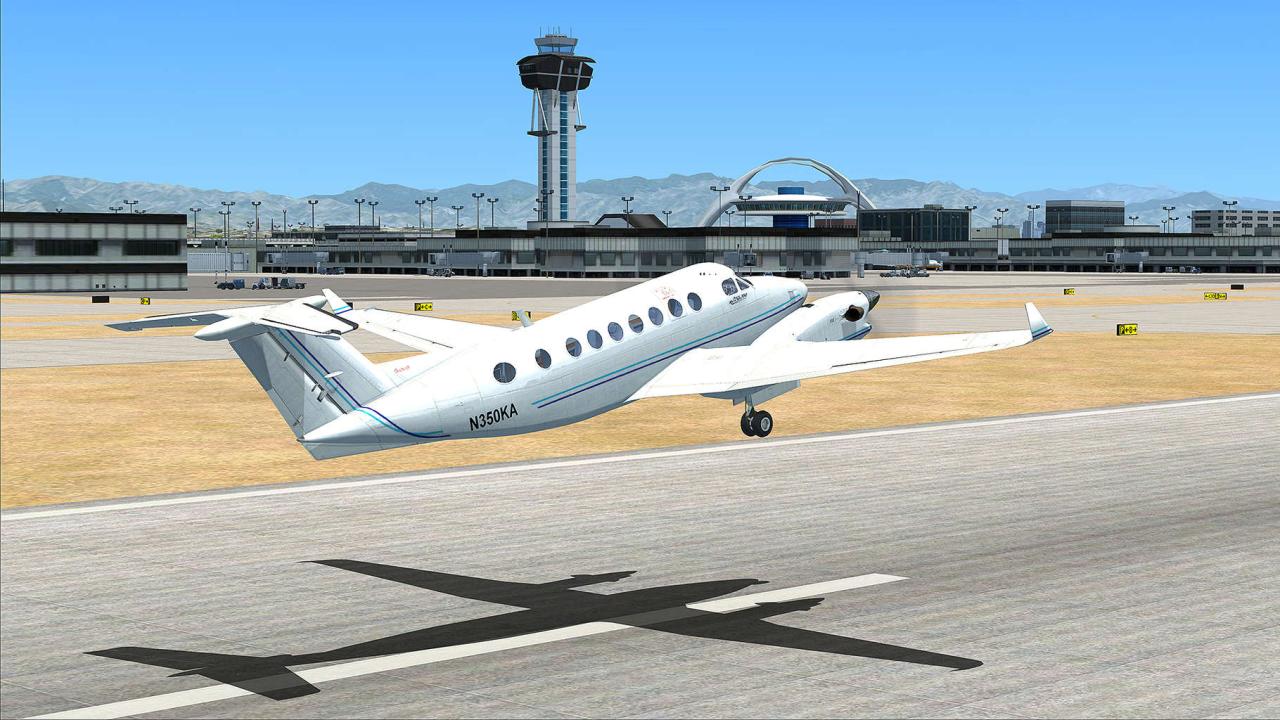
Flight Game PC: Take to the Skies with Realistic Simulation - The world of flight simulation gaming offers an immersive escape, allowing you to experience the thrill of piloting aircraft from the comfort of your home. Whether you dream of soaring through the clouds in a vintage biplane, navigating complex airliners, or engaging in thrilling aerial combat, there's a flight game PC experience waiting for you.
These games provide a level of realism and depth that goes beyond arcade-style flying, immersing you in the intricate details of aircraft mechanics, navigation, and weather conditions.
This comprehensive guide will explore the world of flight simulation games on PC, delving into the top titles, essential hardware components, and valuable techniques to enhance your virtual flying experience. We'll also uncover the essential hardware components for building a dedicated flight simulator setup, empowering you to take your virtual piloting skills to new heights.
Popular Flight Simulation Games
Flight simulation games offer an immersive and realistic experience, allowing players to take control of various aircraft and explore the vast skies. The PC platform boasts a diverse range of flight simulation games, catering to different skill levels and preferences.
Here's a list of the top 10 most popular flight simulation games available for PC, along with their unique features and gameplay.
Top 10 Flight Simulation Games for PC

- Microsoft Flight Simulator (2020): This highly acclaimed game features stunning graphics, a massive world, and a wide range of aircraft. It offers a realistic and immersive experience, with detailed weather systems and dynamic environments.
- Pros: Realistic graphics, vast world, diverse aircraft selection, dynamic weather and environment.
- Cons: High system requirements, steep learning curve, expensive.
- X-Plane 12: Known for its accurate flight physics and advanced systems modeling, X-Plane 12 provides a highly realistic flight simulation experience. It features a comprehensive aircraft library and a vast world to explore.
- Pros: Realistic flight physics, advanced systems modeling, comprehensive aircraft library, vast world.
- Cons: Less polished graphics than Microsoft Flight Simulator, steeper learning curve, expensive.
- DCS World: This military flight simulator focuses on combat aircraft and features a realistic and challenging experience. It offers a wide range of modules, including modern and historical aircraft, as well as detailed maps and missions.
- Pros: Realistic combat simulation, detailed aircraft models, extensive missions and campaigns, free-to-play base game.
While flight games offer a thrilling experience of soaring through the skies, a different kind of adrenaline rush awaits in the world of american football game pc. These games let you strategize plays, manage your team, and experience the intensity of a gridiron battle.
But if you crave the freedom of flight, there are plenty of PC games that let you take to the air and explore the world from a new perspective.
- Cons: Steep learning curve, expensive modules, complex gameplay.
- Pros: Realistic combat simulation, detailed aircraft models, extensive missions and campaigns, free-to-play base game.
- IL-2 Sturmovik: Great Battles: This historical flight simulator focuses on World War II aircraft and battles. It features realistic flight models, detailed aircraft, and immersive environments.
- Pros: Realistic historical setting, detailed aircraft models, immersive environments, large-scale battles.
- Cons: Steep learning curve, expensive, limited aircraft selection.
- Ace Combat 7: Skies Unknown: This arcade-style flight simulator offers a fast-paced and action-packed experience. It features stunning graphics, a variety of aircraft, and challenging missions.
- Pros: Fast-paced action, stunning graphics, variety of aircraft, accessible gameplay.
- Cons: Less realistic flight physics, simplified aircraft systems, limited customization options.
- War Thunder: This free-to-play online flight simulator features a wide range of aircraft from different eras. It offers a competitive multiplayer experience with realistic flight models and a variety of game modes.
- Pros: Free-to-play, large player base, wide range of aircraft, realistic flight models, competitive multiplayer.
- Cons: Free-to-play model can be pay-to-win, complex gameplay, limited single-player content.
- FlightGear: This open-source flight simulator offers a vast world to explore, a wide range of aircraft, and realistic flight physics. It's known for its extensive customization options and community support.
- Pros: Free and open-source, vast world, wide range of aircraft, realistic flight physics, extensive customization options.
- Cons: Steep learning curve, less polished graphics, limited official support.
- Aerofly FS 2: This mobile-friendly flight simulator offers a realistic and immersive experience with detailed aircraft models and stunning graphics. It features a variety of airports and landscapes to explore.
- Pros: Realistic graphics, detailed aircraft models, variety of airports and landscapes, accessible gameplay.
- Cons: Limited aircraft selection, less realistic flight physics compared to other simulators.
- FlyInside: This VR flight simulator provides an incredibly immersive experience, allowing players to feel like they're actually in the cockpit. It features a wide range of aircraft and realistic flight physics.
- Pros: Immersive VR experience, realistic flight physics, wide range of aircraft.
If you're looking for a thrilling flight game experience on your PC, there are plenty of options available. Many popular titles can be found on platforms like Origin game pc , which offers a diverse library of games, including flight simulators, aerial combat games, and even space exploration adventures.
Whether you're a seasoned pilot or just starting out, you're sure to find a flight game on Origin that caters to your preferences and skill level.
- Cons: Requires VR headset, limited content compared to other simulators.
- Pros: Immersive VR experience, realistic flight physics, wide range of aircraft.
- Rise of Flight: The First Great Air War: This historical flight simulator focuses on World War I aircraft and battles. It features realistic flight models, detailed aircraft, and immersive environments.
- Pros: Realistic historical setting, detailed aircraft models, immersive environments, large-scale battles.
- Cons: Steep learning curve, limited aircraft selection, requires purchase of individual aircraft.
Essential Flight Simulation Hardware: Flight Game Pc
Building a dedicated flight simulation setup can significantly enhance the realism and immersion of your experience. Here's a table outlining essential hardware components, their roles, and recommendations based on different budget levels.
Flight simulators offer an immersive experience, letting you soar through the skies and master the art of aviation. But if you're looking for a different kind of challenge, consider venturing into the world of samurai with a game pc samurai.
These games provide a unique blend of strategy, combat, and historical immersion, allowing you to master the art of the katana and experience the life of a legendary warrior. Once you've conquered the battlefield, you can return to the skies with renewed focus, ready to take on the challenges of flight simulation.
Essential Flight Simulation Hardware Components
| Component | Description | Recommendations |
|---|---|---|
| PC | A powerful PC is crucial for running modern flight simulators with high graphics settings and demanding flight physics. |
|
| Monitor | A large monitor with high refresh rate and resolution is ideal for immersive gameplay and detailed visuals. |
|
| Flight Stick | A high-quality flight stick provides realistic control over aircraft movements and enhances immersion. |
|
| Throttle Quadrant | A throttle quadrant allows for precise control over engine power and other aircraft systems. |
|
| Rudder Pedals | Rudder pedals provide realistic control over aircraft yaw and steering, enhancing the overall flight experience. |
|
| Headset | A good headset with clear audio quality is essential for immersing yourself in the flight simulation environment and communicating with other players in multiplayer games. |
|
Flight Simulation Techniques and Tips
Mastering basic flight simulation techniques can significantly improve your experience and allow you to enjoy the realistic flight experience these games offer. Here's a guide for beginners on mastering flight simulation techniques, along with tips and tricks for achieving realistic flight experiences.
Takeoff and Landing Procedures, Flight game pc
Takeoff and landing are crucial aspects of flight simulation, requiring precise control and understanding of aircraft behavior. Here's a breakdown of the key steps:
- Taxiing: Before takeoff, taxi to the designated runway using the rudder pedals and throttle to control your aircraft's movement. Ensure you follow taxiway markings and avoid crossing active runways.
- Takeoff: Increase engine power and use the elevator to gently lift the aircraft off the ground. Maintain a steady climb rate and adjust the pitch to maintain a safe climb speed.
- Landing: Before landing, reduce engine power and use the flaps to increase lift and slow down the aircraft. Align the aircraft with the runway centerline and maintain a steady descent rate. Gently touch down on the runway and use the brakes to slow down the aircraft.
Flight simulators offer a realistic experience for aviation enthusiasts, allowing them to take to the skies and navigate complex scenarios. But if you're looking for a different kind of competitive challenge, consider stepping onto the gridiron with an nfl game pc.
These games provide a thrilling way to test your strategic skills and manage your favorite team. Whether you prefer soaring through the clouds or strategizing on the field, there's a game out there for every kind of gamer.
Navigation and Flight Planning
Navigation is essential for long-distance flights and involves planning your route and using instruments to stay on course. Here's a guide to basic navigation techniques:
- Flight Planning: Use flight planning software or in-game tools to create a flight plan, specifying your departure and arrival airports, waypoints, and altitude. Ensure you consider weather conditions and air traffic flow.
- Navigation Instruments: Utilize navigation instruments like the VOR (Very High Frequency Omnidirectional Range), DME (Distance Measuring Equipment), and GPS (Global Positioning System) to stay on course and monitor your position.
- Flight Management System (FMS): In modern aircraft, the FMS assists with navigation, providing route guidance, altitude information, and performance data.
Aircraft Control and Maneuvering
Controlling an aircraft in flight simulation requires understanding the various controls and how they affect the aircraft's behavior. Here's a breakdown of key control elements:
- Ailerons: Control the aircraft's roll, allowing you to bank left or right.
- Elevator: Controls the aircraft's pitch, allowing you to climb or descend.
- Rudder: Controls the aircraft's yaw, allowing you to steer left or right, especially during takeoff and landing.
- Throttle: Controls the aircraft's engine power, affecting speed and altitude.
- Flaps: Extendable surfaces on the wings that increase lift and drag, aiding in takeoff and landing.
Tips and Tricks for Improving Flight Simulation Skills
- Practice Regularly: Consistent practice is key to improving your skills and mastering the controls. Start with basic maneuvers and gradually progress to more complex flight operations.
- Use Training Missions: Most flight simulators offer training missions that guide you through specific flight procedures and techniques, helping you build a strong foundation.
- Study Real-World Flight Procedures: Research real-world flight procedures and understand the logic behind them. This will enhance your understanding of aircraft systems and operations.
- Join Online Communities: Connect with other flight simulation enthusiasts online to share tips, tricks, and learn from experienced pilots.
- Use Visual Aids: Utilize in-game visual aids, like the artificial horizon, compass, and altitude indicator, to maintain situational awareness and control.
- Adjust Difficulty Settings: Start with easier difficulty settings and gradually increase them as you gain confidence and skills. This will challenge you and help you improve.
- Experiment with Different Aircraft: Explore various aircraft types to experience different flight characteristics and learn their unique handling qualities.
Common Flight Simulation Mistakes and How to Avoid Them
- Over-Controlling: Excessive input can lead to instability and loss of control. Focus on smooth and gradual adjustments to maintain stability.
- Ignoring Instruments: Relying solely on visual cues can lead to errors. Pay attention to instruments to maintain situational awareness and make informed decisions.
- Not Managing Fuel: Fuel management is crucial, especially on long flights. Monitor fuel levels and plan refueling stops accordingly.
- Ignoring Weather Conditions: Weather can significantly impact flight operations. Consider wind, turbulence, and precipitation when planning and executing flights.
- Not Using Autopilot: Autopilot can assist with navigation, altitude control, and other tasks, freeing up your attention for other aspects of flight. Learn how to use it effectively.
Final Thoughts

As you embark on your flight simulation journey, remember that mastering the art of virtual flying takes time, practice, and a genuine passion for aviation. By understanding the intricacies of aircraft control, navigation, and weather patterns, you'll unlock a world of immersive experiences that will challenge and reward you in equal measure.
So, buckle up, adjust your seatbelt, and prepare for an unforgettable flight simulation adventure!